Basic user control
An Admin user, can see all the users that are registered with the workbench.. and can delete them or override the ‘unverified’ status for users that have not completed self registration
You can also mark any other user as an Admin user ..
Global workbench settings
An Admin user can see and adjust some of the basic global settings (from the Settings option) that are not available to normal users.
Global – Demo mode
A toggle – when running in demo mode, options that would consume local resources are not allowed – for example, the Ollama local AI can not be used as an AI provider.
Global – maximum user registrations
You can constrain the number of users allowed work the workbench – this would usually be applied to a system in demo mode to prevent denial of service attacks against the database resource capacity of the system.
Global – verification timeout
The amount of hours that a self registration email is valid for. After the timeout elapses, the registration link in that email will not work, and after a grace period of an extra 24 hours, the unverified user record is automatically removed. (see soft deletion grace period)
Global – soft deletion – grace period
After a a user self registration times out, the user profile is not initially deleted. It is marked as ‘delete pending’...and if the registration is not completed by an Admin or by a resent verification email within the grace period, then all trace of the incomplete registration is deleted
Global – email sender address
When the workbench sends an email to anyone, this email address will be used as the sender address. It should be a valid real email address. Otherwise many email providers will not deliver the emails. They definitely will not send emails claiming to be from the default Admin user of ‘admin@example.com’ … most workbenches will be configured to use ‘no-reply@your-company-domain’
Global – Public URL
This must match the URL used to access the workbench – otherwise the link in the registration email sent to a new user will not work.
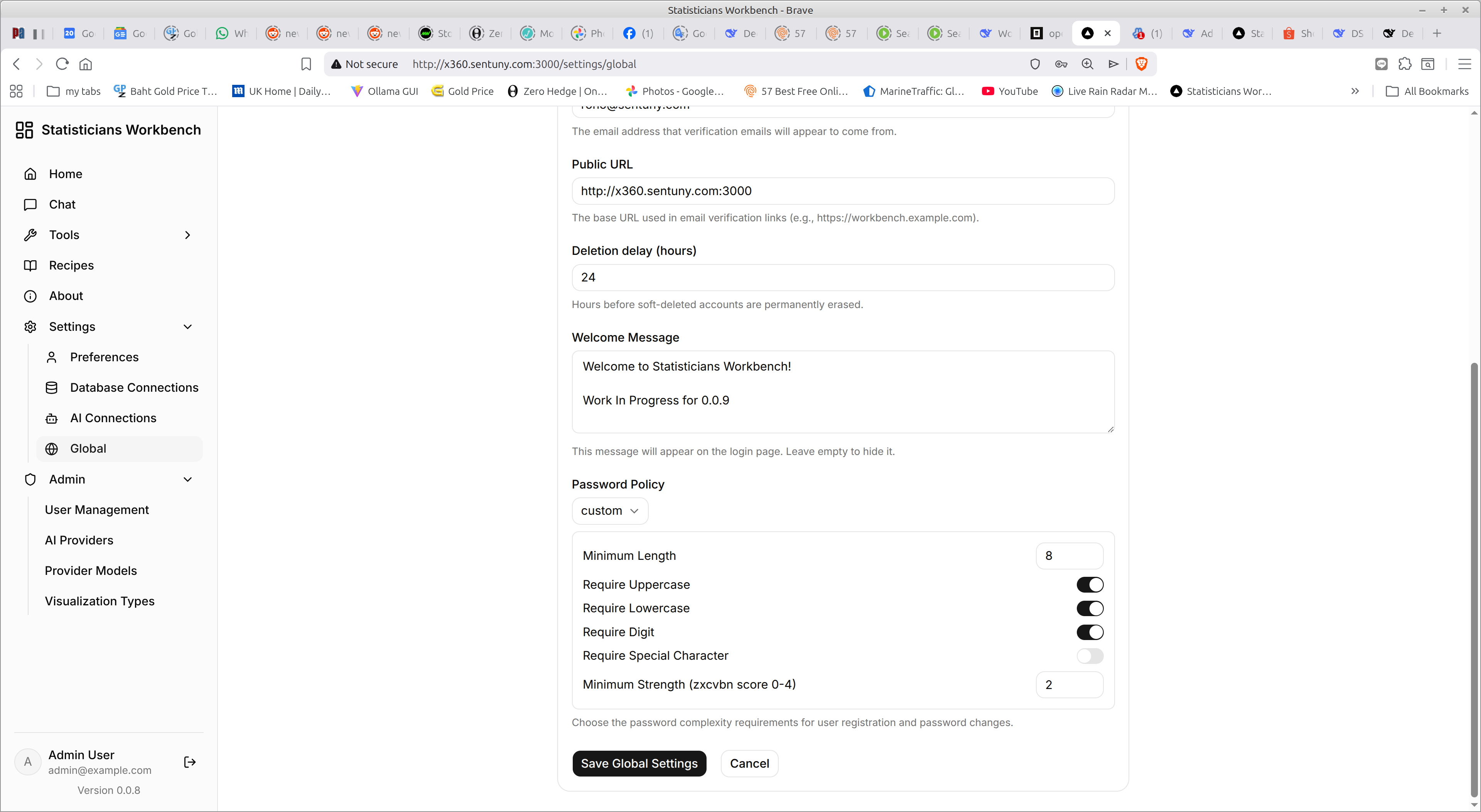
Global – Password Policy
The Global settings include a Password Policy option .. you can select from four present policies or invent a custom policy using this part of the panel
Global- default limit – maximum number of files held by upload
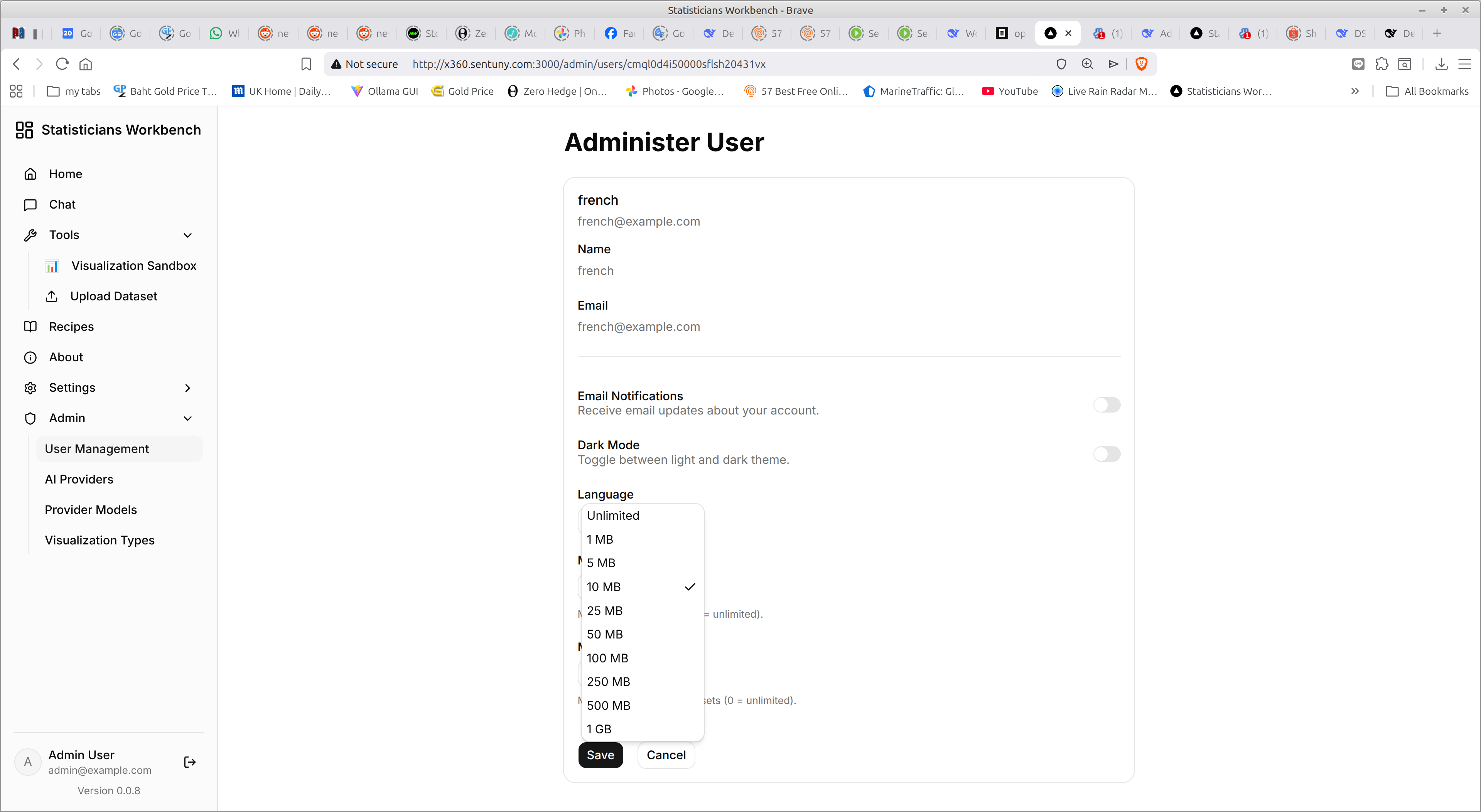
Global- default limit – maximum size of a single upload file.
Global – Registration emails.
Every Admin user that has the BCC Registrations toggle enabled, will get notified of every new registration request… with an email that looks like this:
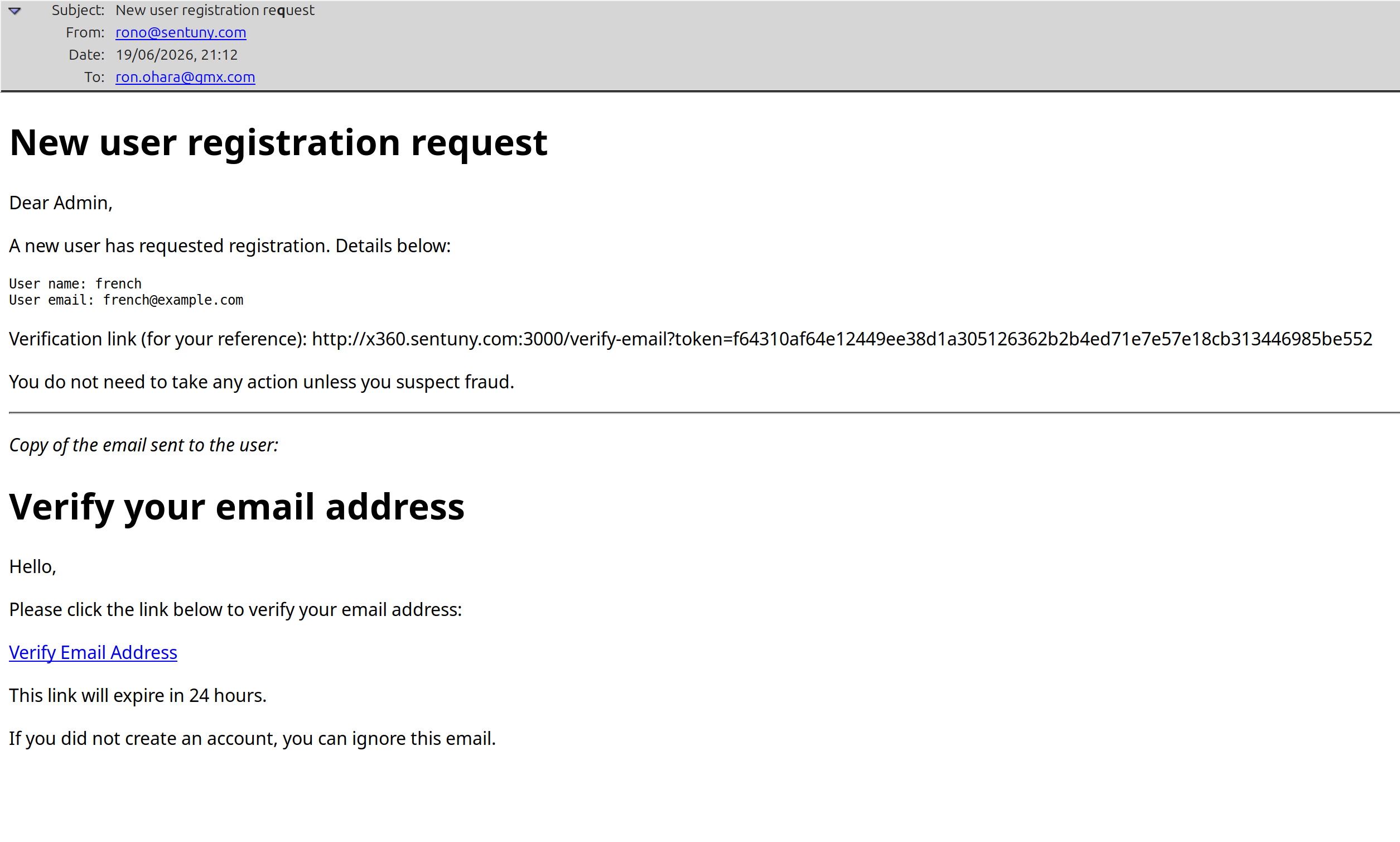
As an Admin, the basic email is in your preferred language, and the Copy of the email sent to the user will be in their preferred language …
Scheduled tasks for the workbench
There is a scheduled user cleanup script – scripts/cleanup-users.ts performs hourly cleanup of unverified users.
It soft‑deletes users whose email verification token has expired, and hard‑deletes those who remain soft‑deleted beyond the configured grace period.
Admin users are excluded from deletion.
The script respects global settings ( emailVerificationTimeout and registrationGracePeriodHours) and can be triggered by cron (Linux/macOS) or Task Scheduler (Windows).
Installer
All the installers are maintained as separate packages with their own specific documentation
Installer responsibilities
Windows installer
Linux Installer
MacOS Installer
- ;padding-top:0"> ← Back to Table of Contents